

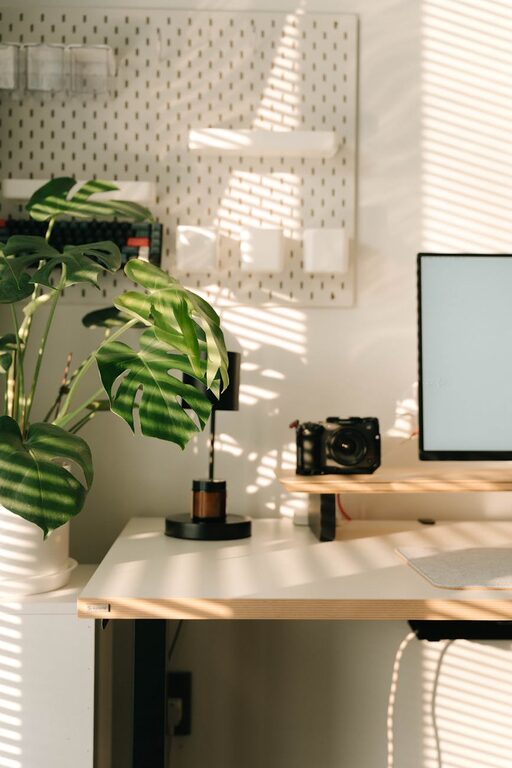
Creating a productive home office environment is essential for anyone who works remotely or spends significant time on personal projects at home. A well-designed workspace not only helps improve focus but also supports your physical and mental well-being. In this post, we’ll explore practical tips for setting up a home office that maximizes productivity and comfort.
Choose the Right Location
Selecting a suitable spot for your home office is the first step. Ideally, this space should be quiet, have good natural light, and be separated from household distractions.
– Quiet Space: Choose a room or corner away from noisy areas like the kitchen or living room.
– Natural Light: Position your desk near a window to benefit from daylight, which can boost mood and alertness.
– Privacy: If possible, use a room with a door to create a boundary between work and home life.
Invest in Ergonomic Furniture
Comfort plays a big role in productivity. Using furniture designed to support good posture can prevent discomfort and reduce fatigue.
– Adjustable Chair: Select a chair that offers lumbar support and adjustable height.
– Desk Height: Your desk should allow your arms to rest comfortably with elbows at a 90-degree angle.
– Monitor Position: Keep your screen at eye level to avoid neck strain.
Organize Your Workspace for Efficiency
An organized desk helps minimize distractions and makes it easier to find what you need.
– Declutter Regularly: Keep only essential items on your desk.
– Storage Solutions: Use drawers, shelves, or filing cabinets to store paperwork and supplies.
– Cable Management: Use clips or ties to keep cords tidy.
Optimize Lighting
Proper lighting reduces eye strain and helps you stay alert.
– Natural Light Balance: Avoid glare by using blinds or curtains.
– Task Lighting: Use a desk lamp for focused work.
– Ambient Lighting: Soft overhead lighting can help maintain a comfortable environment.
Minimize Distractions
Staying focused is a challenge when working from home. Try these strategies to keep distractions in check.
– Set Boundaries: Communicate your work hours to family or housemates.
– Noise Control: Use noise-canceling headphones or play soft background music.
– Turn Off Notifications: Mute non-urgent alerts on your devices.
Personalize Your Space
Adding personal touches can make your workspace inviting and motivating.
– Plants: Indoor plants add color and improve air quality.
– Artwork: Display images or quotes that inspire you.
– Comfort Items: Keep a cozy blanket or a favorite mug nearby.
Establish a Routine
Having a consistent schedule helps reinforce work habits and signals when it’s time to focus.
– Set Specific Hours: Define when your workday starts and ends.
– Take Breaks: Incorporate short breaks to stretch and rest your eyes.
– Plan Your Day: Use a planner or digital tools to schedule tasks.
Use Technology Wisely
The right technology can enhance your work but avoid letting it become a distraction.
– Reliable Internet: Ensure your connection is fast and stable.
– Productivity Apps: Use apps for task management, time tracking, or note-taking.
– Backup Solutions: Regularly save work to avoid data loss.
Maintain Work-Life Balance
Creating physical and mental boundaries helps you avoid burnout.
– End-of-Day Ritual: Develop a habit that signals the end of work, like shutting down your computer.
– Separate Work and Leisure: Avoid working from your bed or couch.
– Stay Active: Incorporate movement or exercise into your daily routine.
—
By thoughtfully setting up your home office, you can create an environment that supports focus, comfort, and efficiency. Small changes in your workspace and habits can lead to significant improvements in your productivity and overall work satisfaction. Give some of these tips a try and tailor your home office to what works best for you.